CLI
&& vs & (in shell)
&& ( waits for first condition is true)
& (parallel process, runs both whether first condition passes)
to set up env var for both windows and unix
you can use cross-env
there’s also another utility for env var to wait-on command to be finished
npm-run-all CLI tool to run multiple npm-scripts in parallel or sequential
if things get complicated, you can write a shell script to make things easier for you
CI
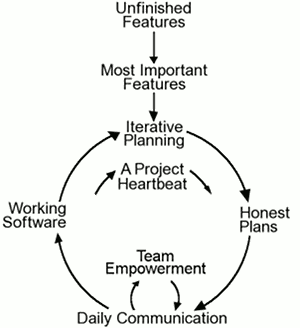
Old practice: Integrate at the end = PANIC trying to fit the puzzle pieces together
Nightly integration becomes CI
Allows team to discover issues asap
Before commit, all unit tests should pass
never-green (to notify team about CI through a monitor)
Extreme programming – a methodology for developing software
Databases:
Philosophy: Normalization (1NF, 2NF)
Flat files: CSV, Spreadsheets
Relational DB: Using a unique identifier to relate the tables
MongoDB
NoSQL
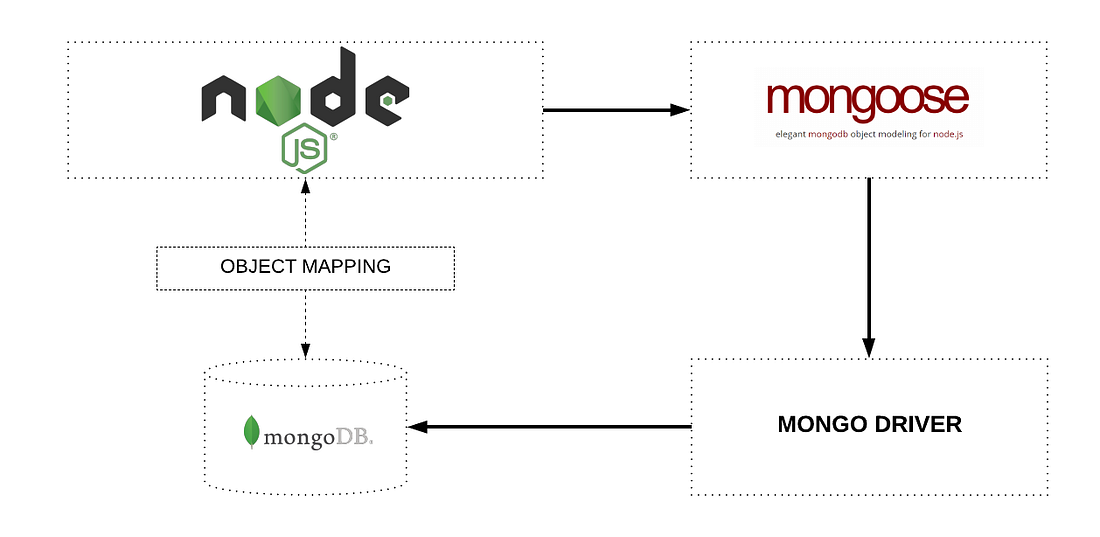
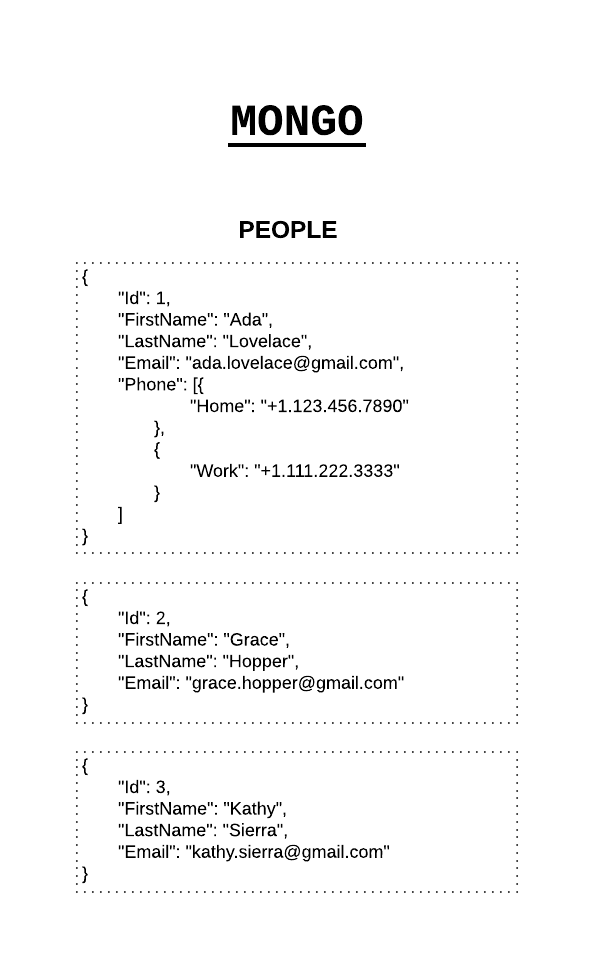
collection maps to our JS db array, document maps to object
We are using mLab MongoDB addon on Heroku
mongod – daemon (start server)
mongo – shell
interact with mongoDB using: mongo (shell), GUI, VSCode (cosmos)
STEPS:
mongod (in terminal)
mongo (in another terminal)
use db-name-here
in vscode
ctrl-shift-p focus on cosmos db view
attach db account
create database (right-click route (MongoDB) in the attached db account)
in mongo terminal: (if you want to use CLI)
db.users.insert({name: ‘Bob’, address: ‘Cross St’})
db.users.findOneAndDelete()
schema : use mongoose
ORM/ ODM (object relational/ document mapper)
Basically a gatekeeper with an API
prevents wrong data to be inserted
Why MongoDB?
It’s more flexible, and mongoose can be added for schema (adding structure) later on
Good for start-ups/ new products
MONGOOSE (wrapper ard Mongo)
npm i mongoose
use mongoose to start server
const mongoose = require(‘mongoose’)mongoose.connect(‘mongodb://localhost/books-db’)const db = mongoose.connection;db.on(‘error’, (err)=>{console.error(‘Unable to connect to the database’), err});db.on(‘connected’, ()=> {console.log(‘Successfully connected to the database’)})
you can use db.once(“connected”) (which is called once)
to run the app only after the server is open.
MODEL
SCHEMA
(pretty much like joi)
Testing with DB
Testing in jest:
Option 1: (*not recommended) create a mongoose connection in test.js and then create a separate test db
and beforeAll, delete the collection, by using:
mongoose.connection.db.dropCollection('foo', function(err, result) {...})Option 2: if you want it to work on CI, use in memory db (https://jestjs.io/docs/en/mongodb)
npm install mongodb-memory-server --save-dev
beforeAll(async () => {constmongoServer=newMongoMemoryServer();constmongoUri=awaitmongoServer.getConnectionString();awaitMongoMemoryServer.connect(mongoUri);});afterAll(async () => {mongoose.disconnect();awaitmongoServer.stop();});
This package spins up a actual/real MongoDB Server programmatically from node for testing or mocking during development. By default it holds the data in memory. Fresh spinned up
mongodprocess takes about 7Mb of memory. The server will allow you to connect your favorite ODM or client library to the MongoDB Server and run integration tests isolated from each other.This package on first start downloads the latest MongoDB binaries and save it to
node_modules/.cache/mongodb-memory-server/mongodb-binariesfolder. So first run may take a time. All further runs will fast, because use already downloaded binaries.Every
MongoMemoryServerinstance creates and starts fresh MongoDB server on some free port. You may start up several mongod simultaneously. When you terminate your script or callstop()MongoDB server(s) will be automatically shutdown.Perfectly works with Travis CI without additional
servicesandaddonsoptions in.travis.yml.
https://www.npmjs.com/package/mongoose-unique-validatorhttps://medium.com/@art.longbottom.jr/concurrent-testing-with-mongoose-and-jest-83a27ceb87ee

SequelizeJsq: when map-reducing big data, what db to use?
ans: (separation of concerns when it come to computation and storage)
 Stuff I Have Learnt